What is a Space Video?
A Space Video is an AI-generated spatial navigation video based on a VR project and its points. After generation, it can be further edited for creative purposes.
- Format: MP4
- Types of Space Videos:
Extreme Mode: A fast, "jump-cut, single-direction" tour based on every point.
Complete Mode: A step-by-step guided tour of the entire space based on all point locations.
Downloading Space Videos from Add-ons
Users can download the project's Space Video files through the Add-ons section by following these steps:
1. Click on the corresponding VR project to enter the preview interface.
2. Select Add-ons from the top toolbar.
3. Choose Space Video to access available files.
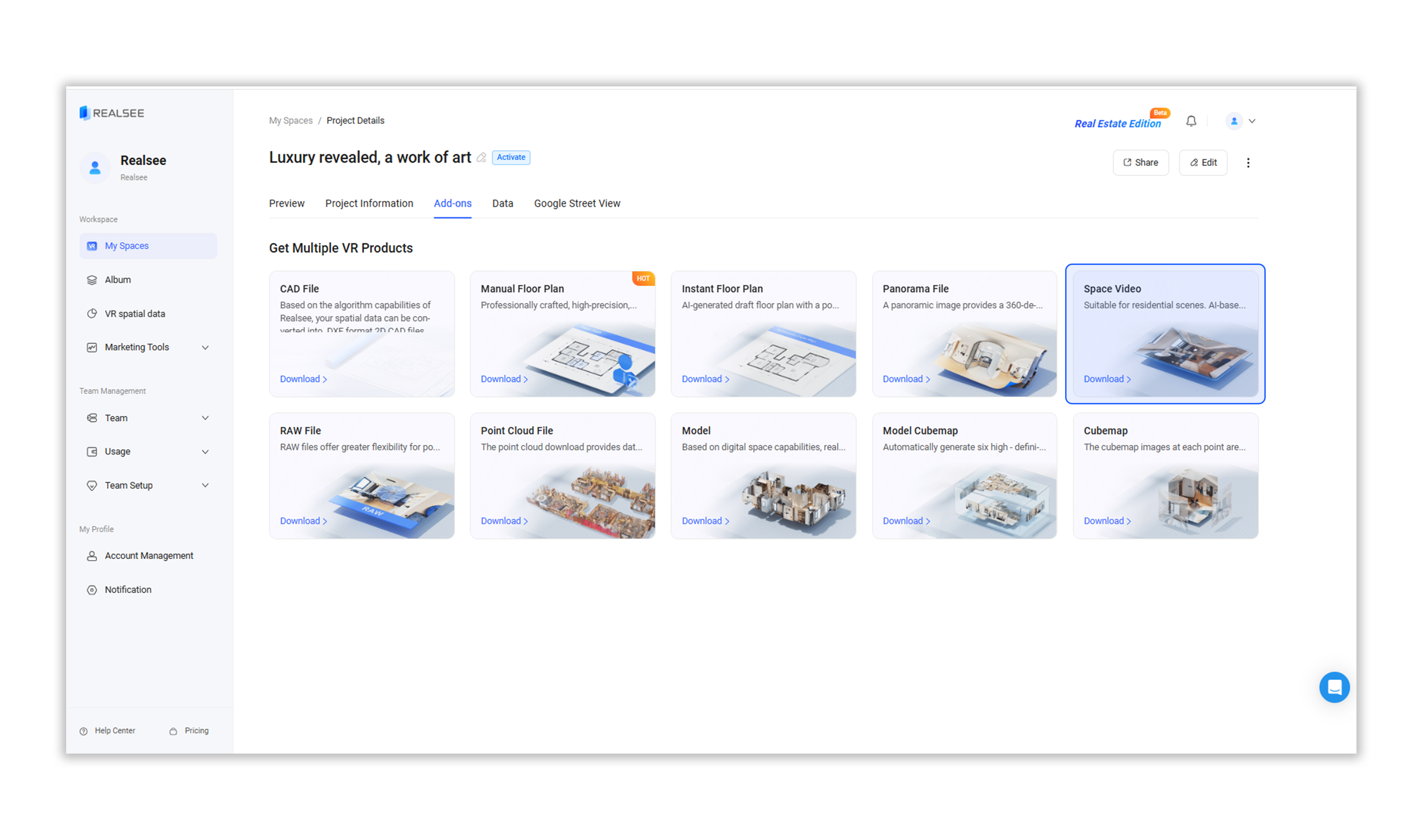
4. Export:
- Users can customize the video form, proportion and resolution.
- Click the Download Now button. In the pop-up window, confirm by clicking OK button.
- The system will automatically generate the Space Video.

5. Wait for the download task to be generated. Once ready, click Download to begin downloading. The format of the downloaded file is MP4.