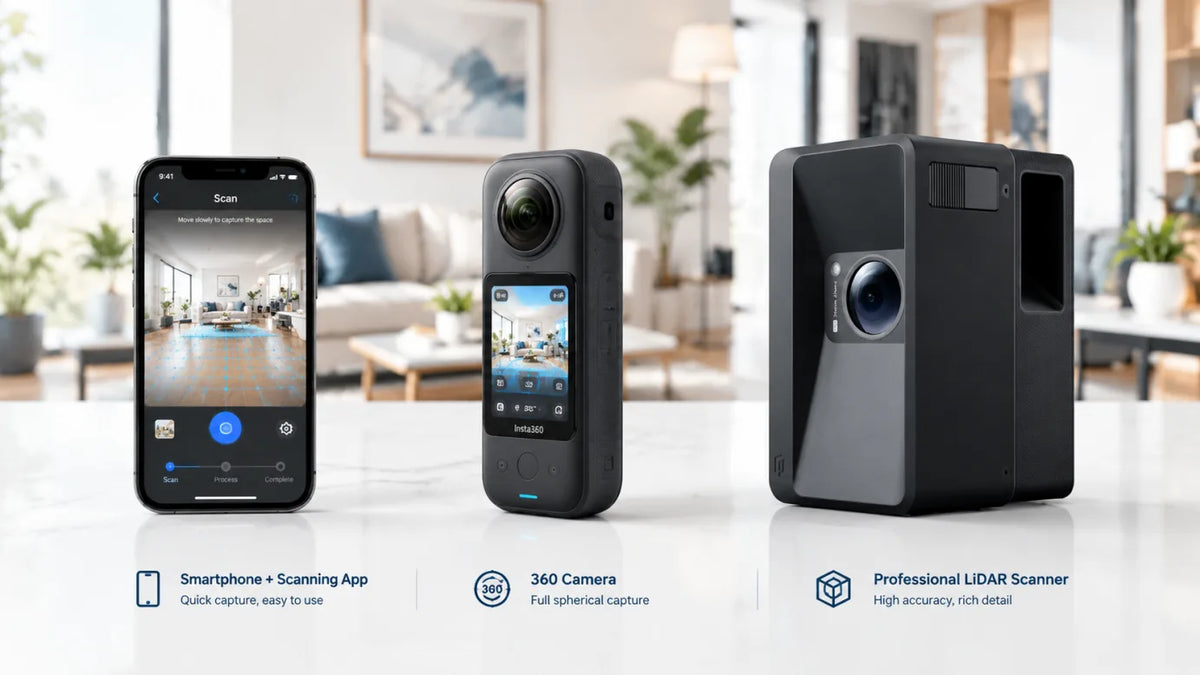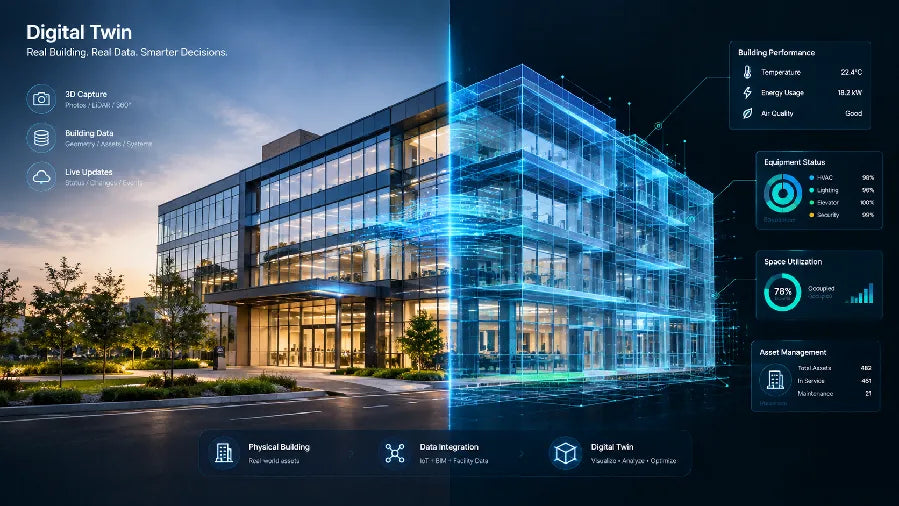
If you've ever asked what are digital twins and gotten a definition that didn't really explain anything, here's the short version: they're one of the most effective ways to capture a space and bring it to life in immersive 3D, and they're changing how entire industries get work done. Instead of relying on a floor plan, a handful of photos, or a written description, teams can now walk through an accurate 3D version of a real space anytime, from anywhere. The one catch worth knowing upfront: not every digital twin updates the same way. Some stay in sync with the real space in near real time, others are a detailed one-time capture, and which one you're looking at matters more than the label.
What Are Digital Twins? Definition and Meaning
Digital Twin Basics
A digital twin is a digital representation of a real-world space, building, or object. It combines a 3D model with information about the physical asset, helping architects, engineers, contractors, and facility managers plan, monitor, and manage it. For example, a contractor can review existing site conditions before a renovation, while a facility manager can use the same model to plan maintenance and coordinate work.
For spatial teams, that means the concept is often about a place, not just a product. A property team might use a twin to review a space remotely before a walkthrough. A facilities team might use one to check conditions and coordinate work. If the digital version does not help someone make a decision, it is usually better described as a 3D view, a model, or a virtual tour.
How It Differs From a 3D Model
The biggest difference is purpose. A 3D model can show shape, layout, and appearance. A digital twin is meant to stay connected to a real-world counterpart so it can inform action. That distinction is what makes the connected to real-world data part so important.
Here is the practical way to judge it: if you mainly need a clean visual for presentation, a static model may be enough. If you need the representation to support ongoing inspection, coordination, or decision-making, a digital twin is the better frame. The NIST digital twins page also treats the technology as part of broader operational flexibility, which is a useful reminder that this is a systems tool, not only a visualization tool.
Core Parts of a Digital Twin
A working digital twin usually has four pieces: the physical space or asset, some way to capture or input data, a digital environment to view or analyze it, and a real use case that justifies the effort. Those pieces do not have to be equally sophisticated, but they do have to work together.
That is why it matters how often a digital twin is updated. Some are updated regularly, while others are refreshed only from time to time. The right level depends on the decision you are trying to support. If freshness does not matter for the use case, a simpler model may be enough. If the space changes often, then capture frequency and maintenance become part of the buying decision.

Digital Twin Use Cases and Applications Across Industries
The table below is a quick summary of common digital twin examples by industry. Here's what each one actually looks like in practice.
| Industry or workflow | Common digital twin use | Typical stakeholder | Practical benefit |
|---|---|---|---|
| Real estate | Remote property review, listing support, buyer walkthroughs | Agents, buyers, sellers, marketers | More qualified in-person showings after buyers preview the property online |
| Facilities management | Inspection support, condition review, facility maintenance | Facilities teams, operators, vendors | Better coordination around what needs attention |
| Retail | Store layout review, experience planning, rollout coordination | Store teams, merchandisers, leadership | Easier communication around spatial changes |
| Hospitality | Guest experience planning, property review, operations support | Operators, owners, experience teams | More consistent review of complex spaces |
| Construction and renovation | Progress review, documentation, stakeholder alignment | Contractors, owners, project teams | Fewer misunderstandings about the physical site |
This broad cross-industry use cases pattern matters because it shows the same idea can support very different decisions. A facility manager may care about maintenance coordination, while a sales team may care about how clearly a space can be presented to a client. The underlying value changes with the workflow.
For spatial applications, the most useful question is not, "Where can digital twins be used?" It is, "Who needs to understand the space, and what decision will the twin help them make?" If the answer is walkthroughs, planning, or coordination, the use case is usually stronger than if the twin is being used only as a prettier visual.
Real estate. This is where digital twins started proving their value fastest. A 3D tour replaces the in-person first showing: buyers walk the space from their phone, agents pre-qualify leads before scheduling a visit, and the same capture gets reused across the listing, the brochure, and social posts. Realsee's own platform data backs this up: listings with a 3D tour attached saw a 337% jump in time spent on the page, a 130% lift in unique visitors, and a 14% increase in offline showings compared to listings without one. That's the kind of lift real estate marketing teams are actually chasing when they add a twin to a listing, not a nicer photo, but a longer look and a warmer lead.

Facility management. In facility management, a digital twin gives teams a current visual record of the space, so they can check equipment rooms, plan maintenance, and coordinate vendors without always going on site. A LiDAR-based digital twin gives managers one shared reference for maintenance planning and remote checks, reducing unnecessary site visits and back-and-forth calls.
Retail. Realsee has done this directly: a 3,000-square-meter secondhand and vintage store was recreated in VR so shoppers could browse the full layout online before ever walking in, and a 3,500-square-meter gym was captured into a complete 3D tour in seven hours, giving the operator a walkthrough accurate enough to head off "that's not what the photos showed" complaints before they start.
Construction and renovation. A Miami architecture firm used Realsee's Galois scanner to capture existing conditions before a remodel, replacing manual measurements and guesswork with one scan the whole project team could reference. That's the pattern across AEC: document the as-built condition once, keep everyone aligned on it as work progresses.
Museums and hospitality. These are still emerging use cases for digital twins, but they already give visitors a way to explore a gallery, exhibit, or venue remotely before they arrive. For example, Realsee created a 3D museum tour for Bolling Hall Museum, captured with a Galois M2 3D LiDAR camera. For museum teams, the same digital space can also serve as a shared visual reference when planning gallery layouts, exhibit updates, or renovation work without repeatedly closing areas for measurements.

The Advantages and Benefits of Digital Twin Technology
Operational Visibility
The clearest benefit of digital twin technology is better visibility. Teams can review a space or asset without being on site, which makes it easier to spot issues, compare options, and prepare for the next step. In facility workflows, that often means better remote inspection and more proactive coordination, though the exact result depends on how current the data is and how well the process is maintained.
This matters most when the physical space is expensive to visit, slow to revisit, or hard to explain from a floor plan alone. In those cases, a digital twin can reduce guesswork. It does not automatically save time or money, but it can shorten the path to a more informed decision.
Customer and Stakeholder Experience
Digital twin technology also helps people understand complex spaces faster. Buyers, tenants, guests, and internal stakeholders can see layout and context in a way that is often easier to discuss than a static image or a dense spec sheet. That makes the technology useful for communication, review, and presentation.
The benefit here is clarity, not guaranteed conversion lift. A stronger visual explanation can make a space easier to evaluate, but the result still depends on the audience, the content quality, and the decision being made. For that reason, digital twin advantages are best described as decision support and stakeholder alignment rather than universal business upside.

Limits and Trade-Offs
The trade-offs are just as important. A digital twin requires capture effort, upkeep, and a workflow that fits the space. If the content goes stale quickly, the value drops. If the data is incomplete, people may trust it less. If the audience only needs a simple visual, the added complexity may not pay off.
This is why the strongest use cases usually combine visibility with a clear operational or communication need. If you are only comparing a few layouts, a lighter model may be easier. If the space changes, needs review, or supports repeated decisions, a digital twin is more likely to earn its place.
The table below helps clarify the trade-off between a digital twin and a static 3D model.
| Comparison point | Digital twin | 3D model | Key question for buyers |
|---|---|---|---|
| Core definition | Live or regularly updated representation of a physical asset or system | Static or mostly static visual representation | Does the use case require ongoing synchronization? |
| Operational visibility | Better for monitoring conditions, status, and change over time | Better for viewing form and layout | How often must the real-world state be refreshed? |
| Stakeholder communication | Useful for cross-team coordination and decision support | Useful for design review and presentation | Who needs to act on the information, and how often? |
| Workflow effort | Higher integration effort because data must be captured and maintained | Lower effort because it is mostly a model artifact | Can the team sustain the capture and maintenance workflow? |
| Data freshness | Depends on capture frequency and source fidelity | Usually not tied to current operational data | Is the freshness level sufficient for the decision? |
| Best-fit spatial applications | Property, facilities, operations, and other spatially grounded contexts | Visualization and planning contexts | Is the asset tied to a physical place or operating process? |
| Main benefits | Visibility, collaboration, decision support | Communication, visualization | Which benefit matters most for the article's use case? |
| Real-world solution fit | Strongest when data fidelity and workflow fit are available | Strongest when a lighter visual representation is enough | Does the buyer need an operational twin or a visual model? |
Real-World Digital Twin Solutions
The best way to evaluate a digital twin solution is to start with the workflow, not the brand name. Ask what space you are capturing, who needs to use it, how often it changes, and whether the output has to support review, presentation, or operations. Then check the practical details: capture method, data fidelity, editing workflow, sharing needs, and how current the details are.
If you are evaluating a specific solution like the Galois P4, use its features to check your workflow fit rather than letting the hardware dictate your decision. Teams doing this at scale, capturing dozens of listings or job sites a week, tend to look at LiDAR kits like this one because they can scan a room in about 16 seconds and still let you download the raw point cloud, floor plan, and 3D model afterward instead of leaving them locked inside a viewer.
Once your use case is clear, the next step usually depends on who you're capturing for. Real estate teams can start with the brokerage-focused rundown, photographers with the photographer-specific breakdown, and architecture or design teams with the AEC-focused page. If you're still comparing scanners generally, this side-by-side of the best 3D scanners for real estate is a good next stop before you commit to one.
Final Takeaway
A digital twin is most useful when it helps people make better spatial decisions, not when it simply looks impressive. If you remember one thing, make it this: the best fit depends on update cadence, data quality, and the workflow you want to support. Compare those factors first, then decide whether a lighter 3D model is enough or whether a true digital twin will do more for your team. If the use case is clear, review current details and request a demo or browse the product path from there.
Frequently Asked Questions About What Is a Digital Twin A
How Is a Digital Twin Different From a 3D Model?
A 3D model usually focuses on appearance and layout. A digital twin is tied to a real-world counterpart and used for decisions over time. If you only need a visual reference, a model may be enough. If you need the digital version to help with monitoring, coordination, or review, the digital twin frame is more appropriate.
What Are Digital Twins Used for in Real Estate and Facilities?
In real estate and facilities, digital twins are often used for remote review, walkthroughs, planning, and stakeholder communication. The key benefit is not just showing a space, but helping people act on it. That makes them useful when multiple people need to understand the same environment without being in the room together.
Can a Digital Twin Be Updated Over Time?
Yes, but the update approach varies. Some solutions are built for frequent refreshes, while others are more periodic. The real question is whether the freshness level matches your decision cycle. If the space changes often or the content will be reused repeatedly, update cadence becomes part of the buying decision.
Why Do Businesses Invest in Digital Twin Technology?
Businesses usually invest in digital twin technology to improve visibility, speed up review, and make complex spaces easier to explain. Those are decision-support benefits, not automatic ROI guarantees. The technology tends to be most useful when a real-world workflow depends on clearer spatial understanding.
What Should I Check Before Choosing a Digital Twin Solution?
Check the capture method, the level of data fidelity, the audience who will use the output, and the workflow the tool is supposed to support. If compatibility or bundle contents matter, verify the current product details before purchase. The best solution is the one that fits the decision you are trying to make, not the one with the longest feature list.