Menu

Download CAD File from Add-ons

Users can download the project's CAD File from the Add-ons section.

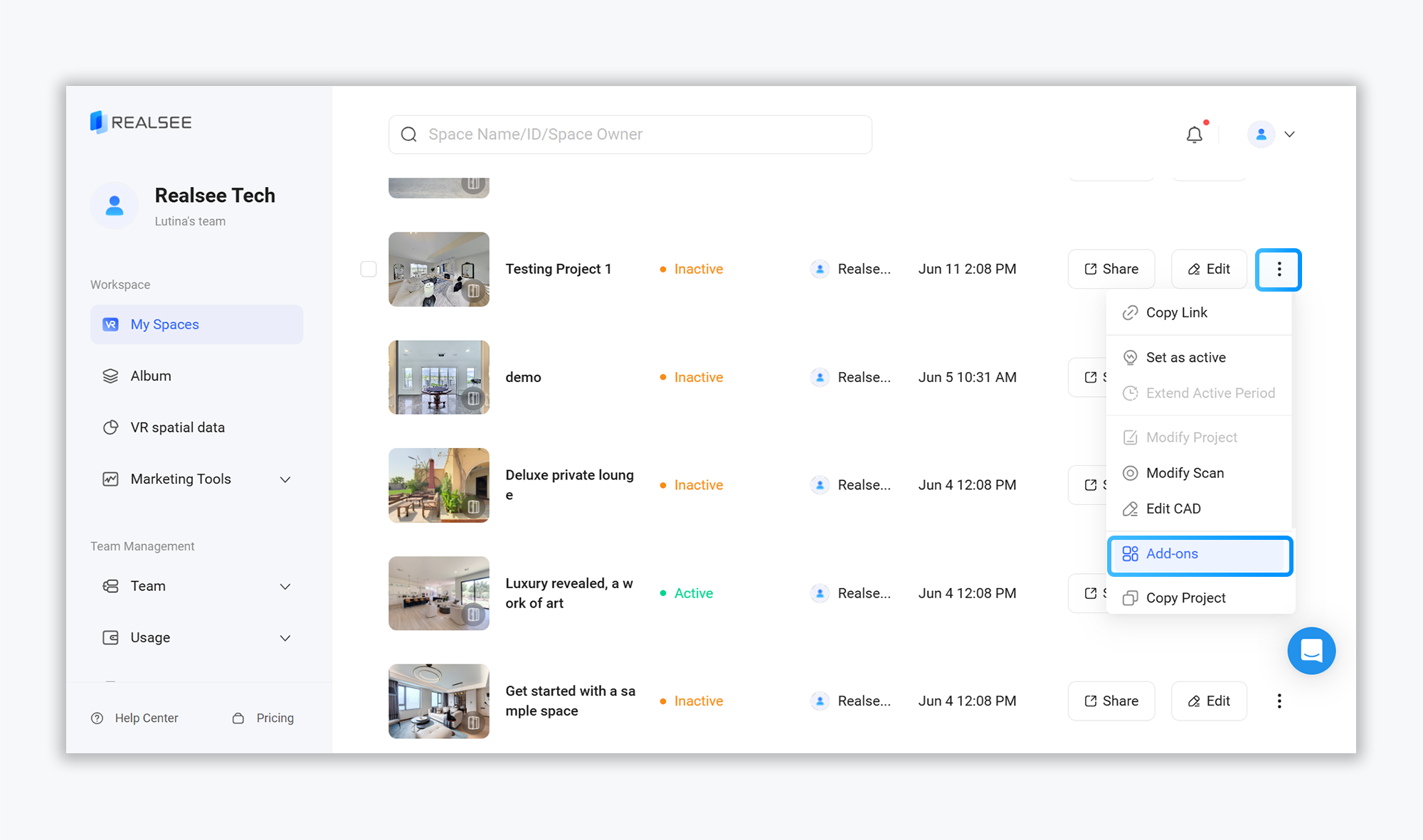
  • Click on the corresponding VR project to enter the project preview interface
  • Select the 'Add-ons' option from the top toolbar
https://global-public.realsee-cdn.com/release/pagepress/UTWEtVnT/uploads/0bb23015-4219-466e-a672-20fc0131a242.png
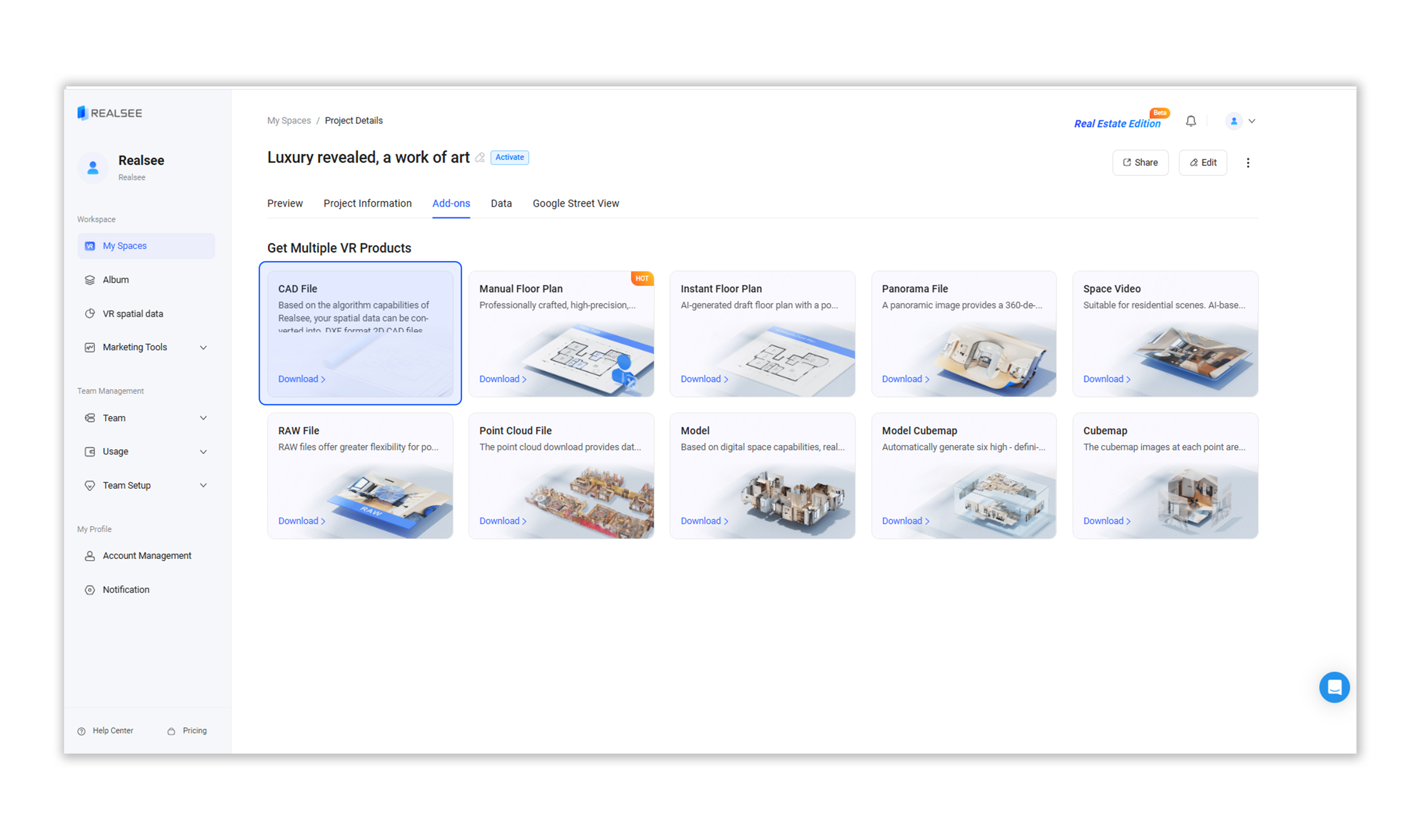
  • Choose 'CAD File' to download
https://global-public.realsee-cdn.com/release/pagepress/iMuNlGXT/uploads/e4940d57-b5ee-449b-8bf7-80b348a93ebb.png
  • Click the 'Download Now' button. In the pop-up window, confirm by clicking "OK."

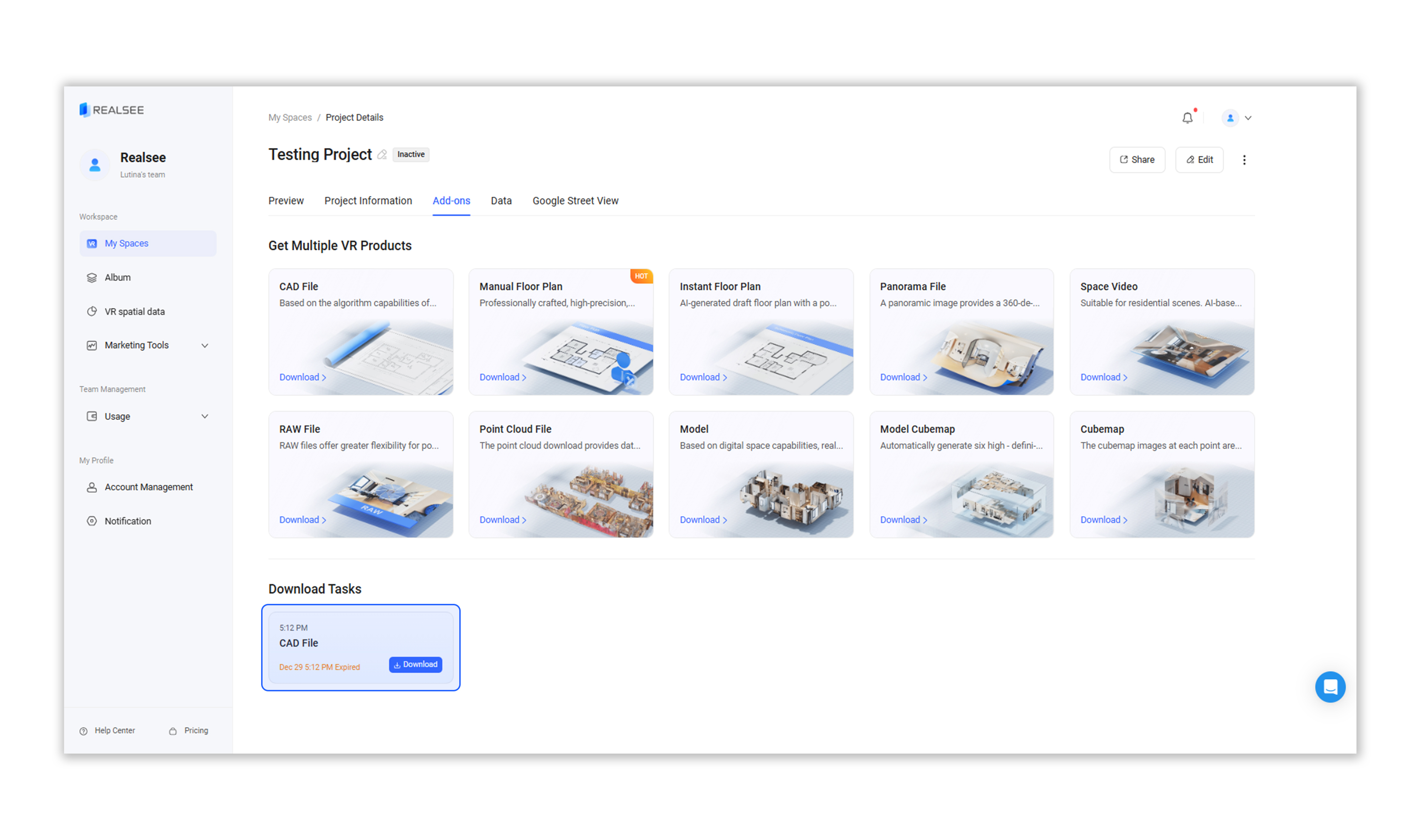
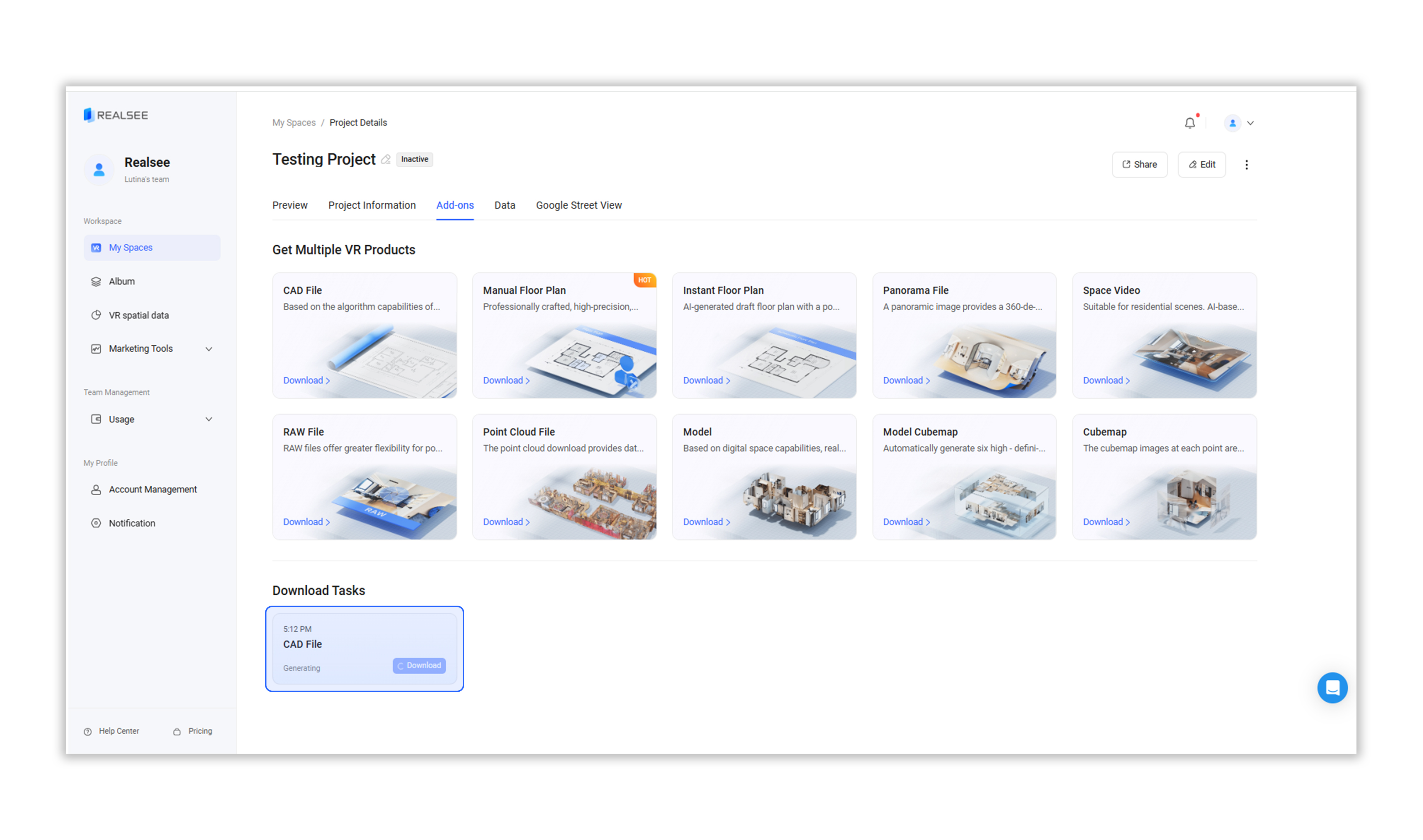
Wait for the download task to be generated. Once ready, click 'Download' to begin downloading.
https://global-public.realsee-cdn.com/release/pagepress/GvstPvsA/uploads/98f2b366-6e80-4c60-97d2-0856d6d13dfd.png


https://global-public.realsee-cdn.com/release/pagepress/hjzeijwR/uploads/3460967d-1047-4681-aa2b-42b59bd50e8c.png
Was this article helpful?