Want to create 3D virtual tours without committing to a fixed monthly subscription? Realsee offers a credit-based, pay-as-you-go workflow.
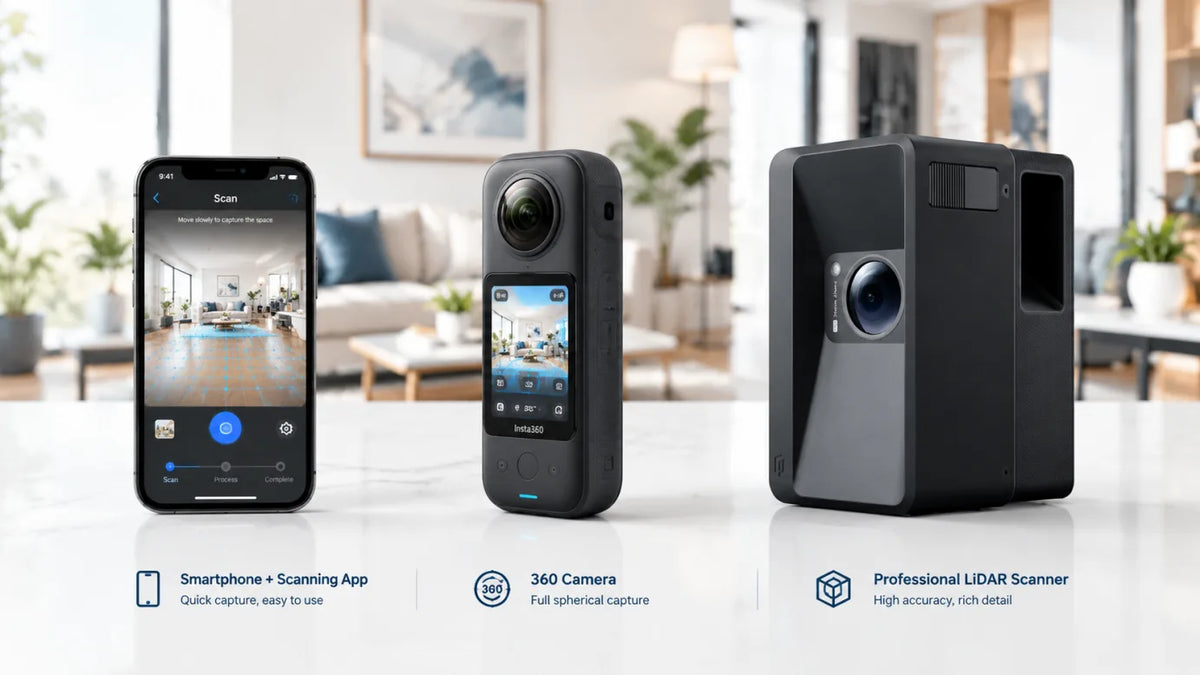
Start with your smartphone or a supported 360° camera, or use a Galois device for LiDAR capture. Instead of subscribing to a mandatory monthly platform plan, you purchase credits for applicable generation, active hosting, and selected downloads.
This guide explains how to get started, when credits are required, and how to choose a capture method for your projects.
Can You Create 3D Tours Without a Fixed Subscription?
Yes. Realsee lets you create and share 3D tours using credits rather than a mandatory monthly subscription.
You can plan spending around individual projects without committing to a recurring platform subscription before testing the workflow. However, keeping a tour available for online sharing still requires active hosting.
Realsee uses credits for active hosting, and additional credits may be required for generation or selected downloads.
For current package prices and purchase options, see Realsee Credits.
Start with Your Smartphone—No Dedicated Scanner Required
You do not need to purchase a Galois device to begin using Realsee. The Realsee app supports smartphone capture, allowing you to create a 3D tour of an existing space before investing in dedicated equipment.
Start with a space similar to the projects you expect to deliver. Review the resulting tour before deciding whether the workflow meets your needs.
A Simple Starting Workflow
- Download the Realsee app and create an account.
- Capture your space using the supported smartphone workflow.
- Upload your capture and submit the project for generation.
- Review the generated tour.
- Share the active tour and evaluate the experience on the devices your audience uses.
See Create 3D Virtual Tours with Your Smartphone for the current workflow and requirements.
What Should You Check in Your First Tour?
- How the captured space appears in the tour.
- Whether navigation works well for your intended audience.
- The time required for capture, generation, and editing.
- How the shared tour looks on mobile and desktop.
- Whether the available deliverables match your project requirements.
Testing a representative project gives you a practical basis for choosing equipment and planning future work.
Choose Your Capture Method: Smartphone, 360° Camera, or Galois
Realsee supports several capture paths. Choose a starting point based on your existing equipment and the work you need to deliver.
| Capture method | When to consider it | What to check first |
|---|---|---|
| Smartphone | You want to test the workflow without purchasing a dedicated capture device. | Supported phone requirements, capture instructions, and generation charges. |
| Supported 360° camera | You already own compatible equipment or want to use a 360° capture workflow. | Exact model compatibility, capture requirements, and generation charges. |
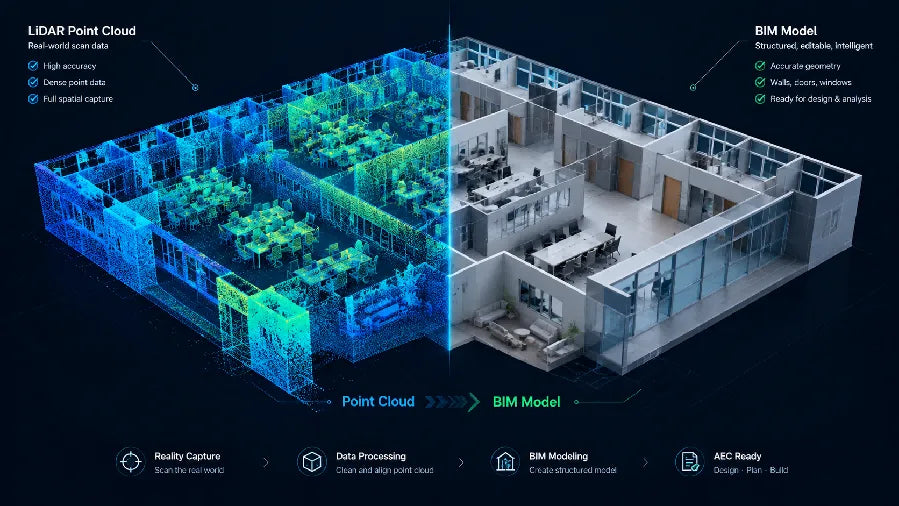
| Galois LiDAR device | Your project calls for dedicated LiDAR capture. | Device capabilities, required deliverables, and hosting or download charges. |
On smaller screens, scroll horizontally to view the full table.
These are different capture workflows—not a promise that every method produces identical results or supports identical deliverables.
Before purchasing a 360° camera, confirm that the exact model is supported. If you need LiDAR capture or particular spatial deliverables, review the relevant Galois specifications and service requirements first.
Explore the available capture options on the Realsee website.
How Realsee Credits Work
To understand your project cost, separate the workflow into four stages: capture and upload, generation, active hosting, and selected downloads.
1. Capture, Upload, and Editing
Realsee’s published credit information lists capture, upload, editing, preview, and storage as free services. Project generation or activation can require credits, depending on the capture method.
Free storage is not the same as free active hosting. A stored project and a tour that is active for online sharing are different service states.
2. Project Generation
| Capture workflow | Published generation rule |
|---|---|
| Smartphone, supported 360° camera, or G1/G2 gimbal | 1 credit is deducted when the project is submitted for generation. Successful generation includes the first 30 days of active status. |
| Galois M2, Galois P4, or Poincaré | Generation does not deduct credits. Credits are required for active hosting and applicable additional services. |
3. Active Hosting
The published standard hosting rate is 1 credit per tour per 30 days of active status.
Keeping a tour available beyond its included or previously purchased active period requires additional hosting credits. You are paying for the period during which the tour remains active—not purchasing lifetime online availability.
4. Downloads and Additional Services
Selected downloads and additional services may require credits. Before quoting a project, check the specific deliverables you need.
A hosted tour and a downloadable project asset should not be assumed to have the same charge.
For the detailed breakdown, see the Realsee Software Services & Pricing Guide.
What Does It Cost to Keep a Tour Online?
A short property-marketing campaign has a different cost profile from a tour that must remain available for a year or longer.
The examples below illustrate credit usage, not a fixed cash price. They exclude optional downloads, additional paid services, and hardware costs.
Smartphone Tour: 30 Days
- Generation uses 1 credit.
- Successful generation includes the first 30 days of active status.
- No additional hosting credits are needed during that included period.
Smartphone Tour: 90 Days
- Generation and the initial active period use 1 credit.
- Two additional 30-day hosting periods use 2 more credits.
- The tour remains active for three consecutive 30-day periods.
Galois Tour: 90 Days
- Generation does not deduct credits for the listed Galois workflows.
- Three 30-day active hosting periods use 3 credits.
- Hardware and paid downloads are separate.
Check current rules before purchasing or quoting a project. Cash cost depends on the credit package you buy.
Do Realsee Credits Expire?
According to the published Credits Usage & Purchase Guide, purchased credits are valid for nearly one year(360 days)—from the purchase date.
Choose a package based on the credits you expect to use within that period, rather than the package size alone.
Before Buying, Estimate:
- How many projects you expect to generate.
- How many tours will need active hosting.
- How long each tour must remain available.
- Which downloads or additional services you will use.
- Whether you can use the purchased credits before they expire.
See the Realsee Credits Usage & Purchase Guide for current conditions.
Try the Workflow Before Buying Capture Hardware
You do not have to choose your equipment before seeing a Realsee tour.
If smartphone capture meets your needs, continue using that supported workflow. If your projects call for another capture method, explore supported 360° cameras or Galois LiDAR devices after reviewing your requirements.
Who Should Consider Realsee’s Pay-As-You-Go Model?
Realsee is worth evaluating if you want to create 3D tours without committing to a fixed monthly platform subscription.
The model may fit your workflow if you:
- Want to test a platform before investing in dedicated equipment.
- Prefer to budget around individual projects.
- Need different hosting durations for different projects.
- Want smartphone, supported 360° camera, and LiDAR capture options.
- Are comfortable tracking credit usage and active hosting periods.
For a large portfolio of continuously active tours, calculate the total hosting requirement rather than assuming pay-as-you-go will always be cheaper.
Compare the total cost of your actual workflow—not just the absence of a subscription.
Is Realsee a Matterport Alternative?
Realsee is an option to evaluate if you are looking for a Matterport alternative for 3D tours without a mandatory monthly subscription.
However, switching platforms should involve more than comparing billing models.
Check These Requirements Before Switching
- The capture equipment you can use.
- The tour experience your clients expect.
- Required floor plans, spatial data, or other deliverables.
- Website sharing and embedding requirements.
- How long each tour must remain active.
- Download and export charges.
- The cost of any new hardware.
Test a representative project first. This helps you determine whether Realsee fits your delivery requirements as well as your preferred payment model.
Frequently Asked Questions
Does Realsee Require a Monthly Subscription?
Realsee uses a credit-based model without a mandatory monthly platform subscription. Applicable generation, active hosting, and selected downloads are paid for with credits.
Can I Create a Realsee Tour with My Phone?
Yes. The Realsee app supports smartphone capture. Check the current device requirements and capture instructions before starting.
Do I Need to Buy a Galois Device?
No. You can begin with a smartphone or a supported 360° camera. Galois is a separate option for LiDAR capture.
Is Smartphone Tour Generation Free?
Under the published credit rules, smartphone project generation uses 1 credit. Successful generation includes the first 30 days of active status.
Does Free Galois Generation Include Free Hosting Forever?
No. Generation for the listed Galois workflows does not deduct credits, but active hosting still requires credits. Selected downloads and additional services may also be charged separately.
How Much Does Active Hosting Cost?
The published standard is 1 credit per tour per 30 days of active status. Check the current pricing documentation for applicable conditions.
Are Downloads Included in Hosting?
Do not assume they are. Selected downloads and deliverables may require additional credits. Check the charge for the specific output you need.
Do Purchased Credits Expire?
Yes. The published guide states that purchased credits are valid for 365 days from purchase.
Start Your First Realsee Tour
Capture a space with your smartphone and review the generated tour. Then decide how long you need it active, which deliverables you require, and whether another capture method would suit your projects.
Evaluate the workflow before committing to dedicated hardware, and plan credit purchases around the services you need.
Need a detailed service breakdown? Read the Software Services & Pricing Guide.